EatBits POS
- Till
- Back office
- Delivery
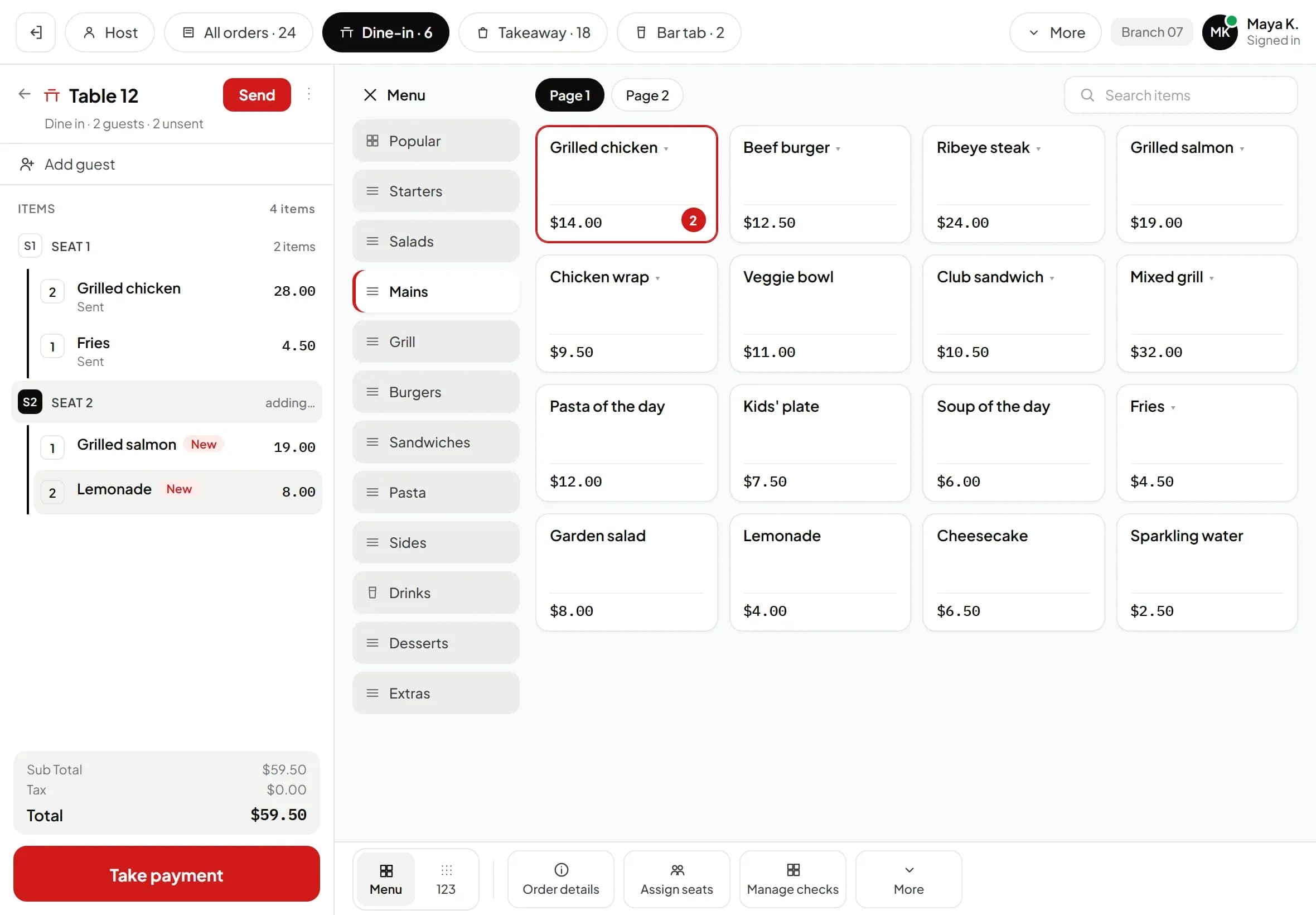
One POS for every order type, with menus from head office and staff permissions.
Used byCashier, server, host, manager, dispatcher, driver
Sent to kitchenTable 12 · 19:42
Four products that run a restaurant from the till to the accounts: POS, kitchen display, ERP and CRM, in Arabic and English.
Four products that run a restaurant from the till to the accounts. Each one has its own page and its own demo.
One POS for every order type, with menus from head office and staff permissions.
Used byCashier, server, host, manager, dispatcher, driver
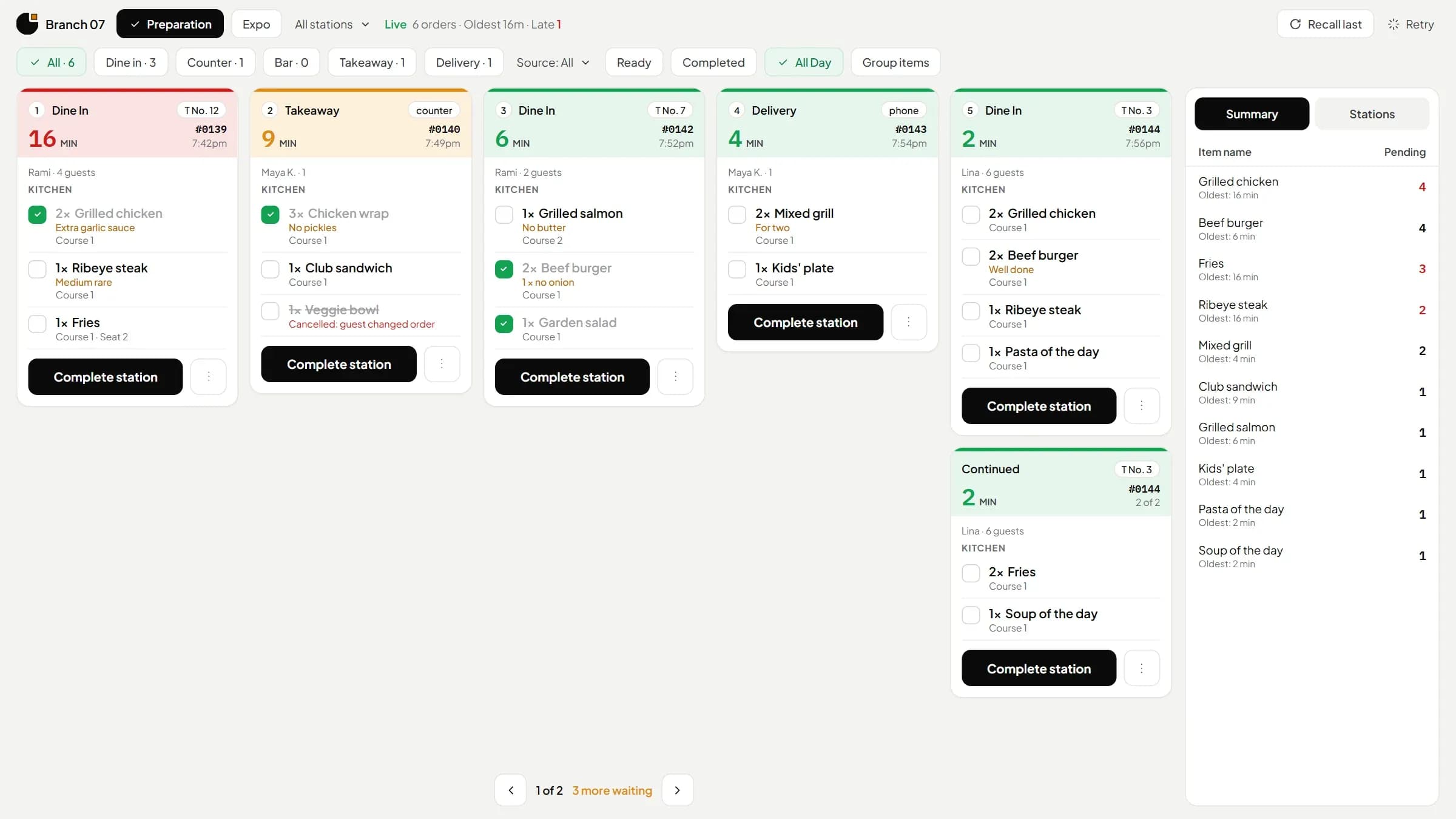
A screen for every station. Tickets age in colour, and no prices reach the kitchen.
Used byCooks, expo
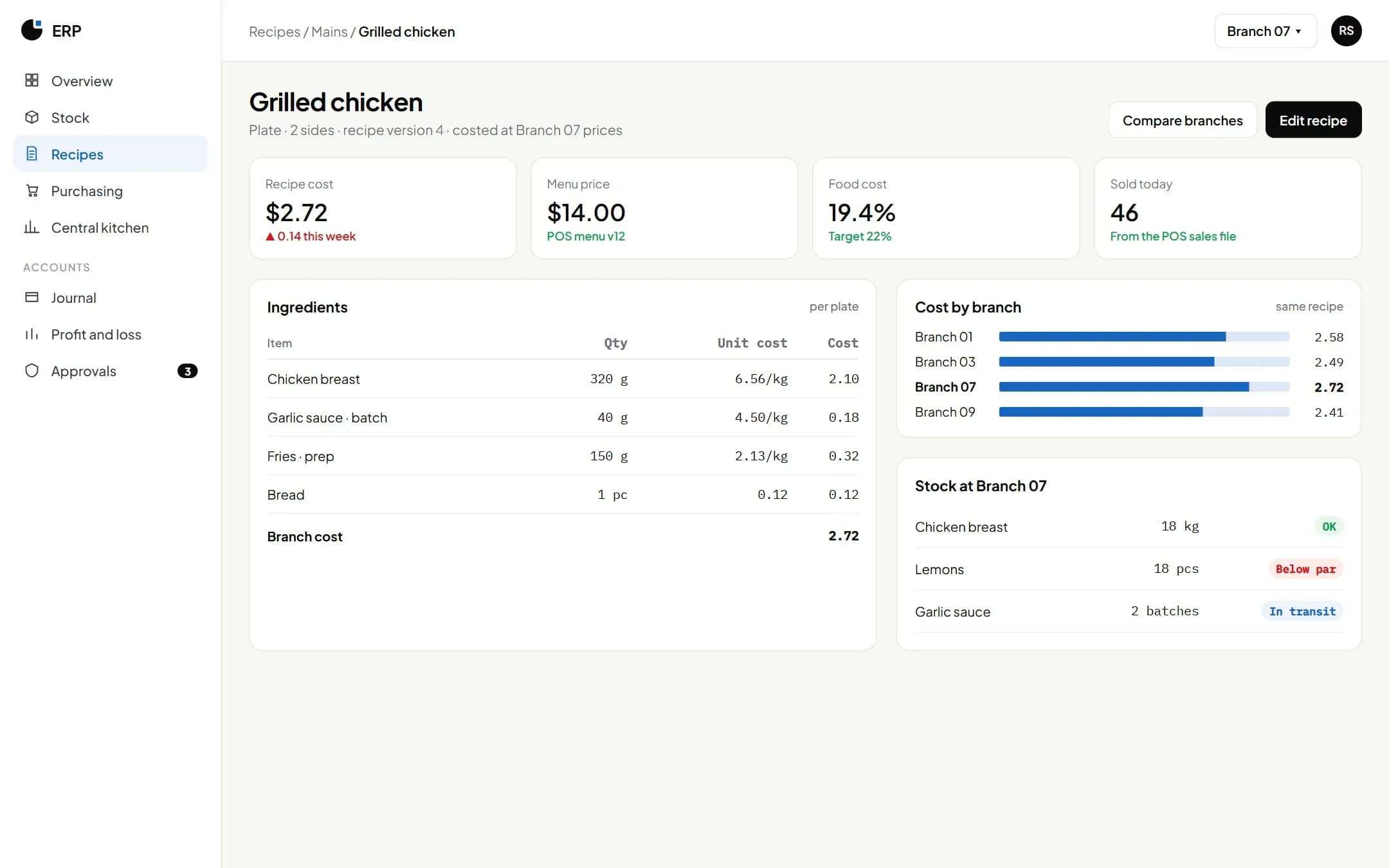
Stock, recipes, costs and the books, with recipe cost per branch and blind counts.
Used byCost controller, purchasing, accountant
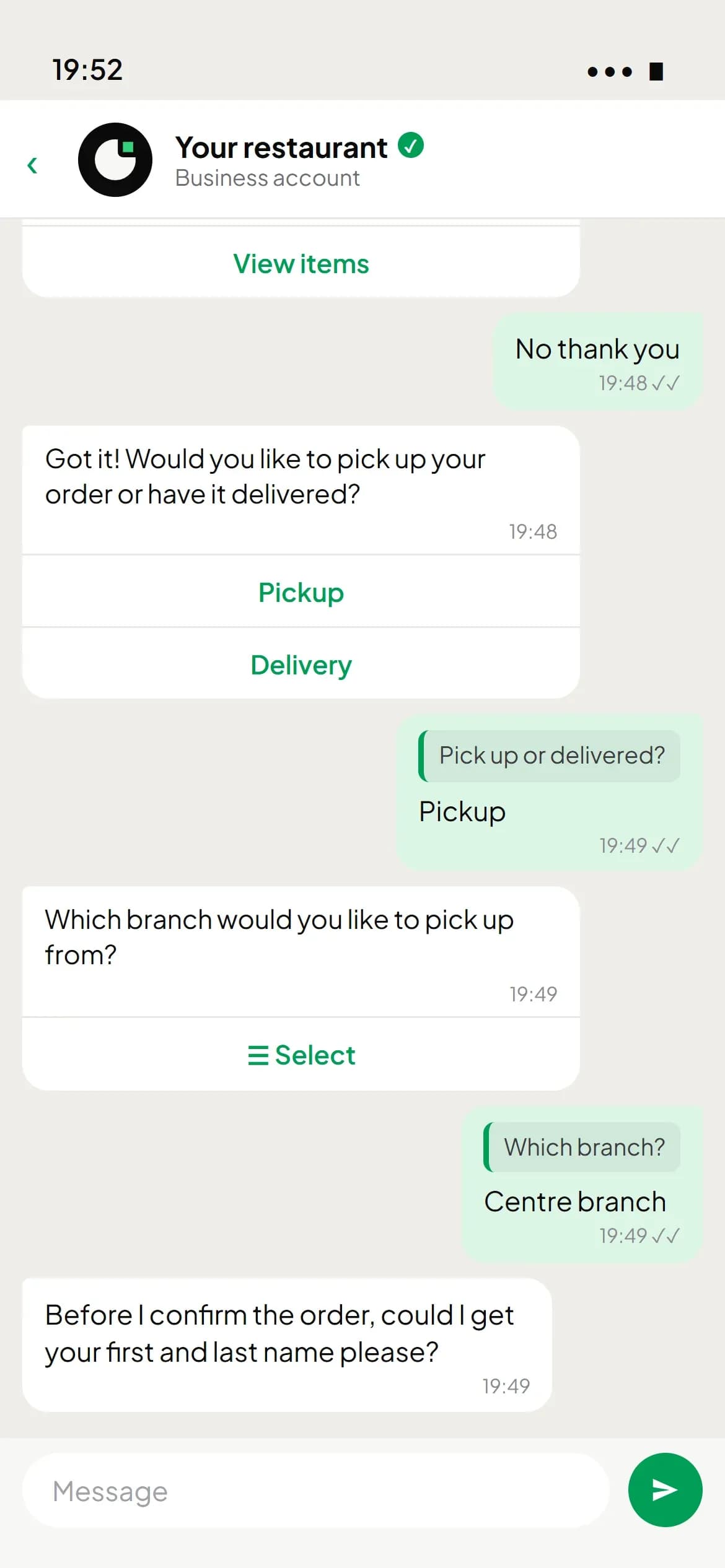
Orders on your own WhatsApp number and by phone, with one file per customer.
Used byAdministrator, call-centre and branch operators
Every bit finds its place.
The POS, kitchen display, ERP and CRM share one set of data. Every order updates every screen.
Every order type, one till
Gets every order the till sends, by station
Gets every sale, so stock, recipes and costs stay current
Sends WhatsApp and phone orders to the till, and keeps each customer’s history
Nothing scattered across platforms: your data is in one place, ready to use, including with AI.
Five kinds of business and the products each one usually uses. The POS and KDS come as one package.
Every change is recorded with who made it, and irreversible actions belong to administrators.
Cloud-based, and a branch keeps serving when the internet drops. A payment is never charged twice.
Staff see only their branch; kitchen and branch roles never see costs.
EatBits runs on iOS, Android and desktop devices.
Cloud-based·Works offline·24/7 support
Cloud hosted. Each business's data is kept separate.
Till, kitchen, cost control and call centre, plus Arabic and English guides.
Updates are included, with no reinstall.
Short answers about EatBits and its four products. Can’t find yours? Ask us on WhatsApp, we answer 24/7.
Software that runs a restaurant's orders, kitchen, stock, costs and customers. EatBits does it in four products that share one set of data: POS, kitchen display, ERP and CRM.
They share one set of data. An order is taken at the till or on WhatsApp, cooked on the kitchen display, paid at the till, updates stock and costs in the ERP, and joins the customer's history in the CRM.
Yes. A cloud kitchen usually starts with the POS, kitchen display and CRM: delivery orders at the POS, WhatsApp and phone orders in the CRM, and a screen for every kitchen station.
Order taking for every channel, kitchen screens, stock and recipe costs, the accounts, and customer records, all on one set of data. EatBits covers each part: POS, KDS, ERP and CRM.
No. The POS and kitchen display come together as one package. EatBits CRM and EatBits ERP are each sold on their own: use either alone, or add it to the POS.
See EatBits with your own menu.